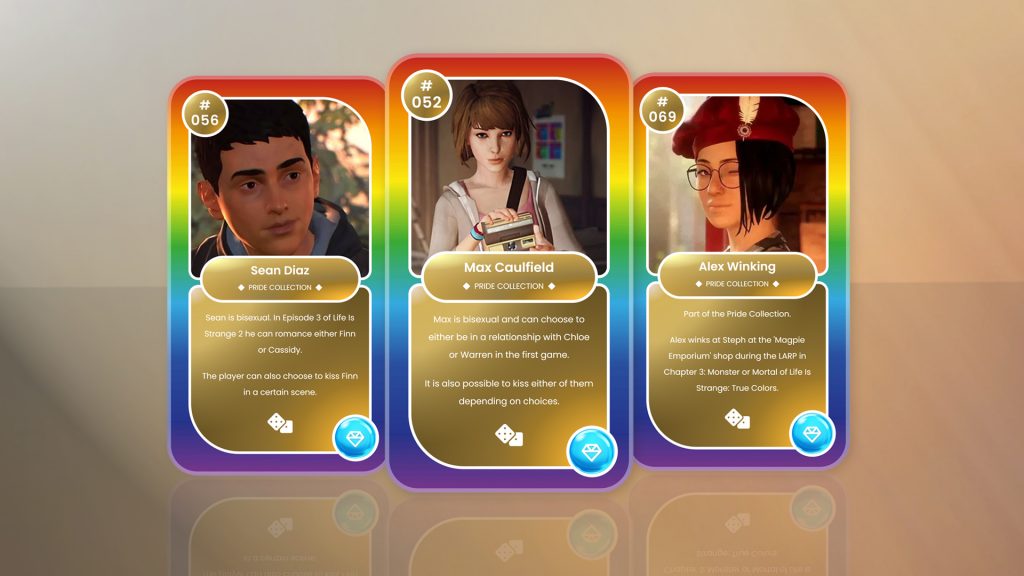
When you visit an Environ’s page you’ll see one of two variations based on whether it is locked or unlocked.
LOCKED ENVIRONS
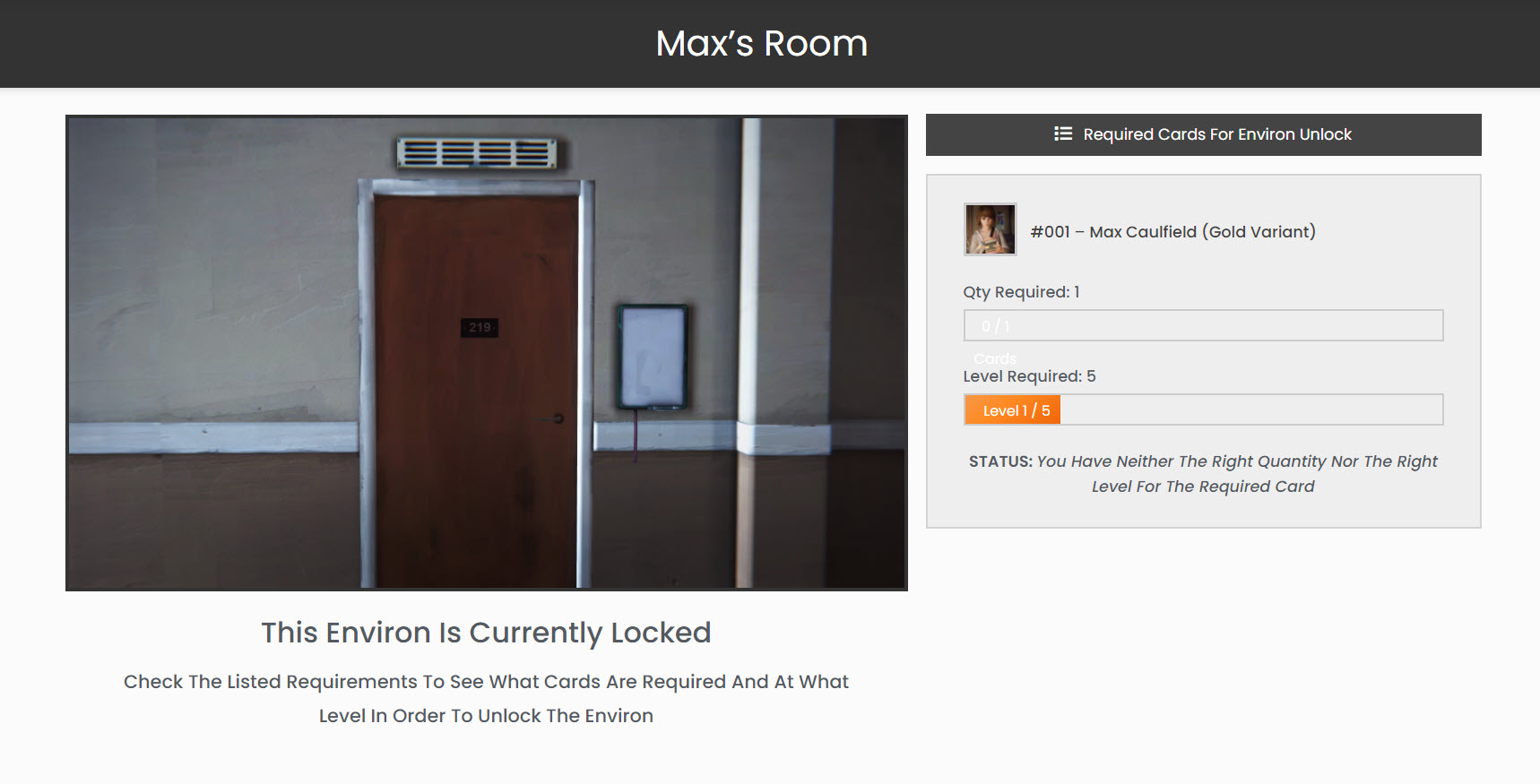
Locked Image – You will see a larger version of the same locked image to denote that the Environ is locked
Requirements – Here you will see a listing of the Requirements that must be met in order to unlock the Environ. This will always be Cards (of different types) and you must have a certain Quantity and have levelled the Card up to a certain Level. Because of the variation, the Requirements section will dynamically change based on the status of Cards you own, the amount you own and their level:
ALL LOCKED
The following image shows the initial state of the Requirements when neither condition has been met:
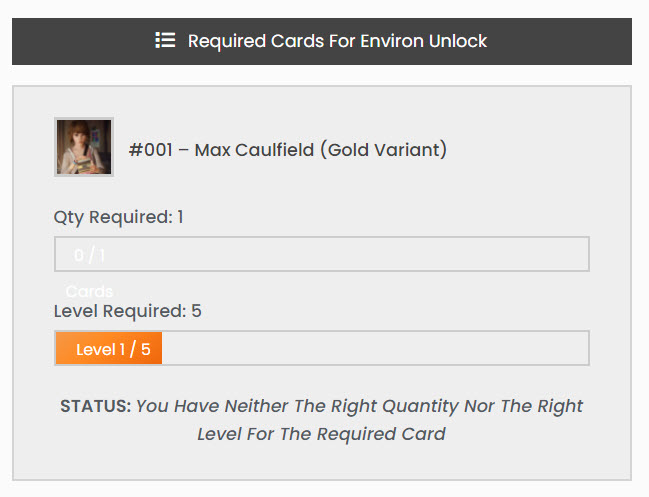
* Note that even without owning even 1 of the required Card, the Level will always be 1 as this is the default Level for all Cards (Levels are a modifier applied to Cards) – for more information, see the Documentation on Levelling Up Cards.
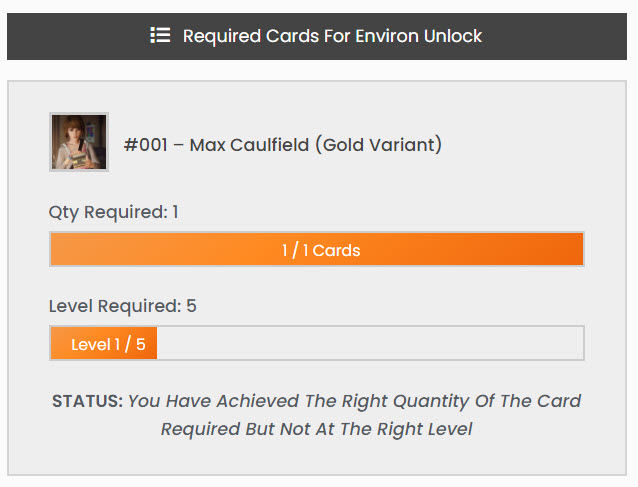
RIGHT QUANTITY, WRONG LEVEL
The following shows how the Requirements box looks when you own the right Quantity of the required Card but at the wrong Level:
ALL UNLOCKED
And finally, once all Requirements have been met, you will see the Requirements box like so:
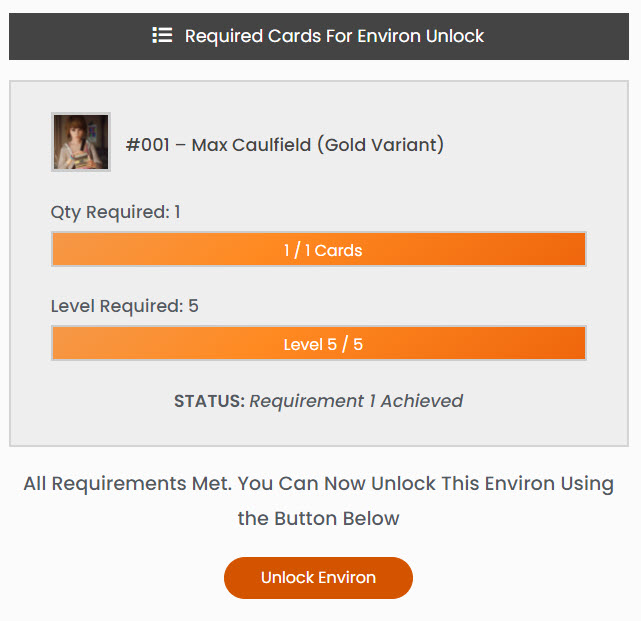
Not only are the progress bars full, but you will now see a button to Unlock the Environ.
Click this button to open a modal confirming that you want to unlock the Environ. As noted in the message, there is no cost for unlocking Environs – it’s purely to log the unlocking of the Environ for that user so that it will remain unlocked.
* Once you’ve unlocked an Environ it will always stay unlocked, even if you lose/sell any of the Cards initially required.
** The different angles of the same Environ must be unlocked separately, but they will have the same requirements.
For information on what to do once you’ve unlocked Environs, see the Documentation on Interacting With Environs.